

Hi there! Today I am showing you how to make a fun keychain using adhesive vinyl and UV resin. It might seem complicated using resin, but it is quick and fun! This DIY Glitter Keychain Tutorial is also a great way to use up small vinyl scraps and end up with something super cute.
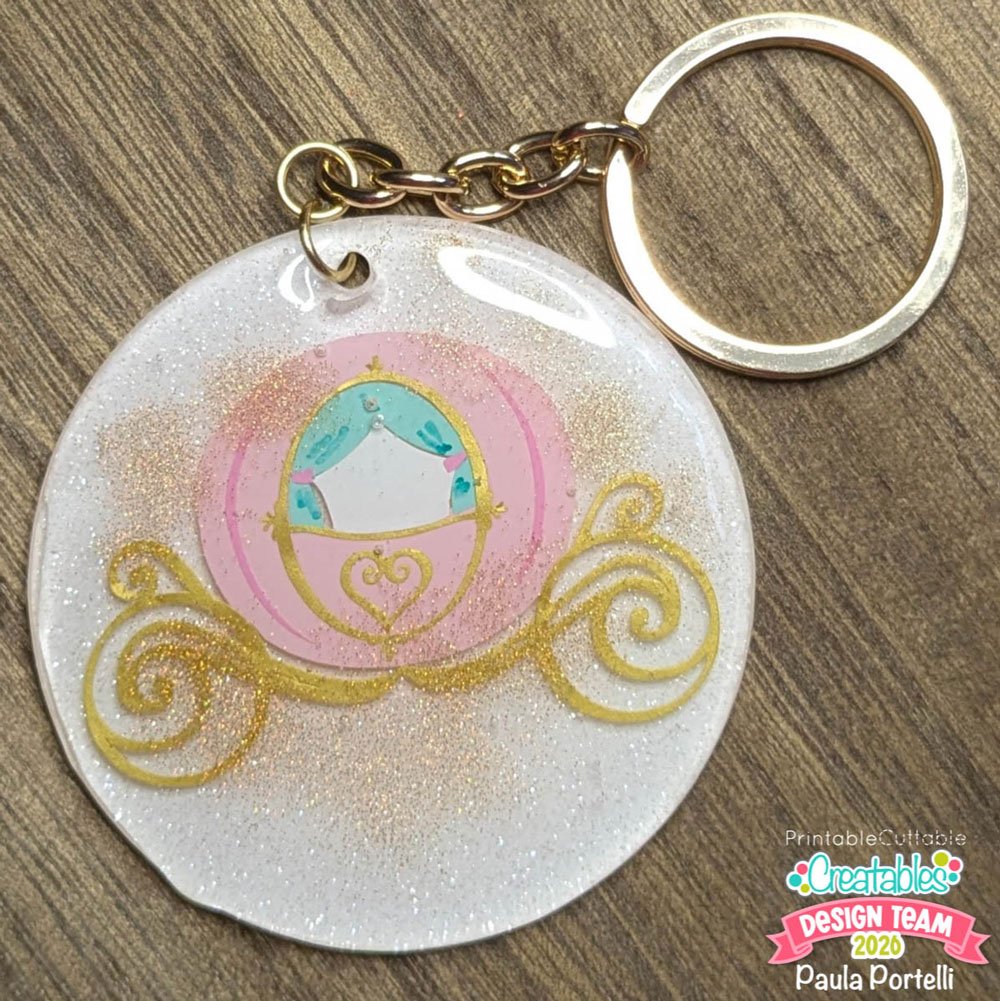
Supplies Used:
- Princess Carriage SVG File & Clipart
- Adhesive Vinyl in your choice of colors
- Adhesive transfer tape
- Fine glitter in your choice of color
- 2.5” acrylic round with hole
- Keychain hardware plus 2 jump rings
- Alcohol marker (optional)
- UV resin
- UV resin tools such as a silicone mat, spatula, or toothpick
- UV light – flashlight, gel nail light, or a sunny day
- Electronic cutter
Bring the assembled version of the SVG file into your cutting machine software. I am using Silhouette Studio. Create a 2.5” circle in the software to represent the acrylic disk you are using. Size the design in the circle so it fits. If you have room, you can add some text such as a name. I did not do that.
![[Photo 2: Design sized in software]](https://www.printablecuttablecreatables.com/wp-content/uploads/2026/02/DIY-Glitter-Keychain-Tutorial-photo-2-3.jpg "DIY Glitter Keychain Tutorial 2")
Remove the circle. Separate the design layers. Cut each layer in your choice of colors. Mine is so small I couldn’t use the details on the curtain fabric, so I used an alcohol marker to draw them in.
![[Photo 3: Vinyl layers cut and ready]](https://www.printablecuttablecreatables.com/wp-content/uploads/2026/02/DIY-Glitter-Keychain-Tutorial-photo-3-2.jpg "DIY Glitter Keychain Tutorial 3")
Using the digital design as your guide, layer all the vinyl pieces in place on the acrylic disk. Use adhesive transfer tape and/or tweezers to help with this.
![[Photo 4: Vinyl applied to acrylic disk]](https://www.printablecuttablecreatables.com/wp-content/uploads/2026/02/DIY-Glitter-Keychain-Tutorial-Photo-4-2.jpg "DIY Glitter Keychain Tutorial 4")
Since the details on the curtain fabric were too small to easily transfer, I just used an alcohol marker to add those details.
![[Photo 5: Marker details added]](https://www.printablecuttablecreatables.com/wp-content/uploads/2026/02/DIY-Glitter-Keychain-Tutorial-photo-5-3.jpg "DIY Glitter Keychain Tutorial 5")
Place the disk on a silicone mat to protect your surface. Apply one thin layer of UV resin. It will level out, but you can use a toothpick or a resin spatula to help move it around and fill any holes. Be sure not to fill the hole that is in the disk.
![[Photo 6: First resin layer applied]](https://www.printablecuttablecreatables.com/wp-content/uploads/2026/02/DIY-Glitter-Keychain-Tutorial-photo-6-2.jpg "DIY Glitter Keychain Tutorial 6")
Sprinkle some fine glitter on the resin. I like it just around the design.
![[Photo 7: Glitter added]](https://www.printablecuttablecreatables.com/wp-content/uploads/2026/02/DIY-Glitter-Keychain-Tutorial-Photo-7-2.jpg "DIY Glitter Keychain Tutorial 7")
Place the disk under the UV light. I am using a light made for gel nails. Let the light shine for 2 minutes. A flashlight version UV light takes much longer and has to be moved around, but is a possibility. You can also set it in the bright sunshine for about 20 minutes.
![[Photo 8: Curing under UV light]](https://www.printablecuttablecreatables.com/wp-content/uploads/2026/02/DIY-Glitter-Keychain-Tutorial-Photo-8-2.jpg "DIY Glitter Keychain Tutorial 8")
Remove from light when it is cured and can be touched. Apply another thin layer of UV resin and set to cure for another 2 minutes.
![[Photo 9: Second resin layer/cured finish]](https://www.printablecuttablecreatables.com/wp-content/uploads/2026/02/DIY-Glitter-Keychain-Tutorial-Photo-9-2.jpg "DIY Glitter Keychain Tutorial 9")
Attach the keychain hardware using two jump rings to connect the chain.
More Princess Themed SVG Files


![[Photo 10: Hardware attached / finished keychain]](https://www.printablecuttablecreatables.com/wp-content/uploads/2026/02/DIY-Glitter-Keychain-Tutorial-Photo-10-2.jpg "DIY Glitter Keychain Tutorial 14")
I hope you enjoy this DIY Glitter Keychain Tutorial and give it a try! I find them a great way to use vinyl and a fun result in the end. I thought this design would be perfect for a gift for a new driver or for a new car. For a 15% discount on your order, you can use my code: paulasstudio15.
I hope you enjoy this Ice Cream Sundae Sign Tutorial and give it a try!
-Paula


Affiliate Disclosure: I may be an affiliate for some products recommended in this post. This means that if you purchase items through my links I will earn a small commission, at no extra cost to you. I only recommend products that I have personally used and enjoy and when you order through my link, it helps me continue to offer you weekly free SVG files, digital papers, scrapbook sketches, tutorials, and other fun things. Thank you in advance for your support!


